Equipment › Artec Leo

Wireless handheld · Featured scanner

Artec Leo

The one we reach for first.

No laptop, no cable, no targets — free movement while scanning gives you lots of flexibility. Pause and restart at will. Reposition the object or yourself and continue scanning seamlessly, as you see the scan results build on the scanner screen. For medium-to-large objects captured on site, nothing else works like Leo! This is a useful, durable and portable machine.

Artec 3D Gold Certified Partner
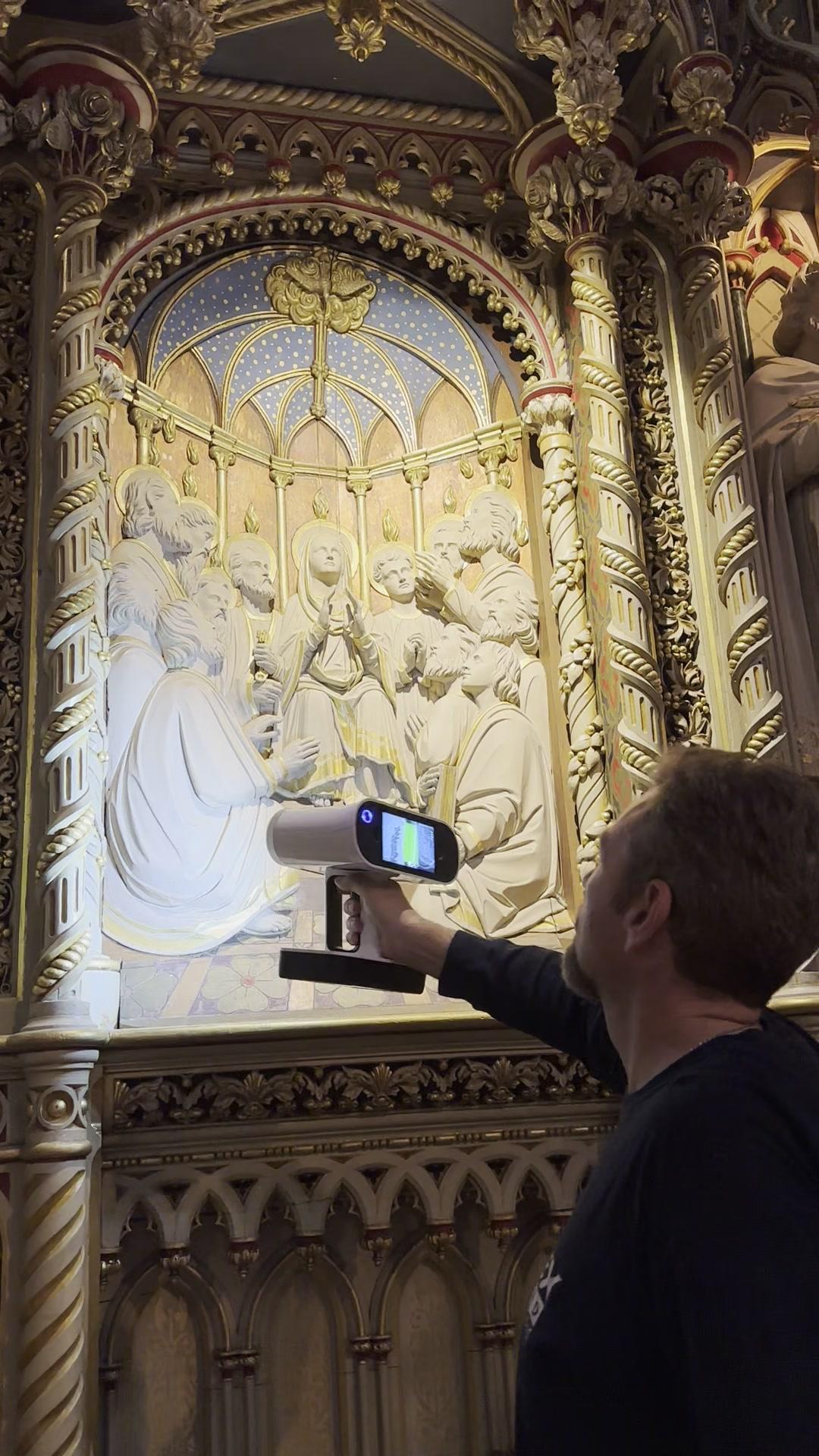
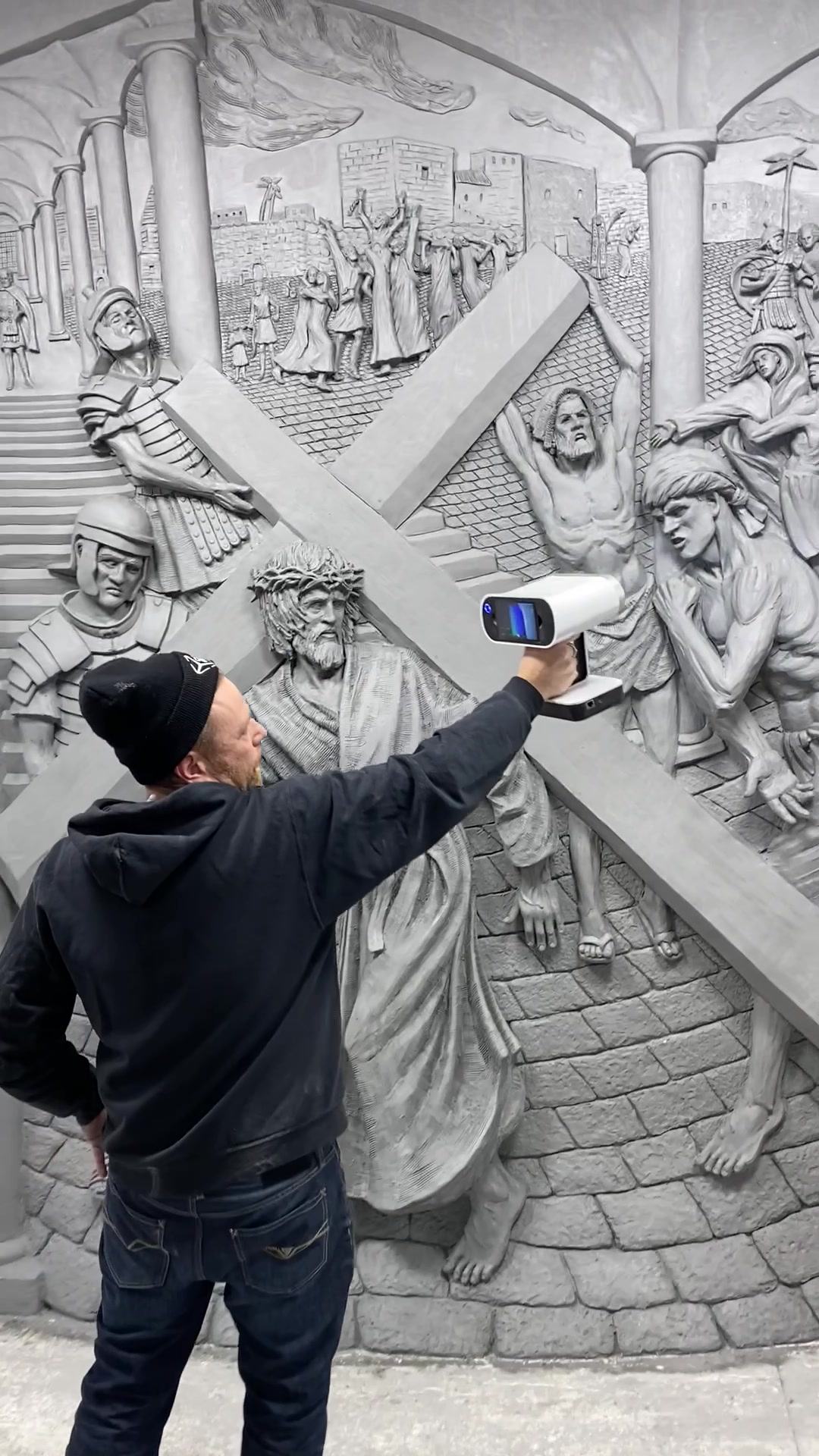
Scanning a large carved relief panel with an Artec Leo

Why we love this scanner

Why we love the Artec Leo

Every reseller on the continent publishes the same spec sheet. What almost none of them can tell you is what it’s like crawling under a tank, going down a shaft to scan equipment, hanging off the side of a large vessel, the unique challenge of dealing with talent on a set, or scanning a public sculpture in a park, in full sunlight, in the snow… That’s where we are different — we’ve been there! With Leo.

01

Wireless and Handheld

No power cable, data tethers, tripping hazards, or a laptop balanced on a crate. Start scanning right away and capture data quickly and easily. Stop and start as needed. Take multiple scans and seamlessly merge together. High detail capture quickly and easily.

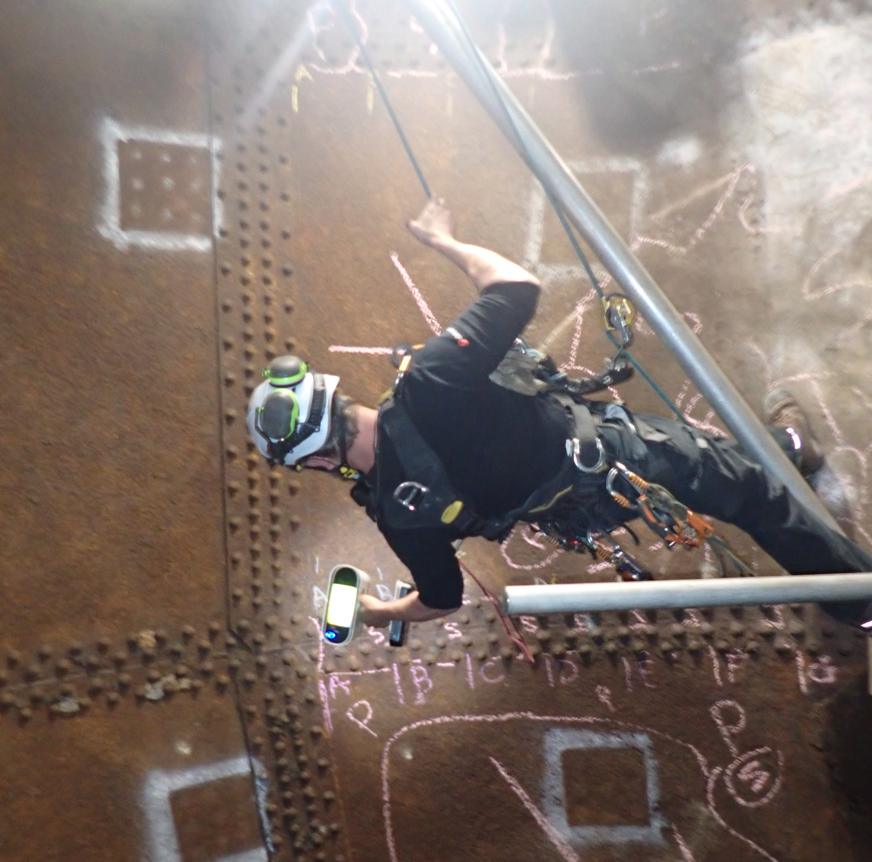
Inside a penstock at a power plant, that meant working from rope access — no power, no cable, no bench, nowhere to set anything down. We were looking for deflection in the sheathing. The dents and distortions came out clearly in the scan; in photographs of the same plating they are almost impossible to see.

Rope access inside a penstock, Artec Leo in hand

02

Full Colour Scanning

Artec Leo uses colour as well as geometry to improve scan tracking and quality. This enables scanning of flat or featureless surfaces with the addition of simple markers like tape or chalk lines, or even existing wear patterns. No targeting dots needed.

Scans can be augmented with photography for perfect colours and exported in .OBJ format with a single unwrapped texture map.

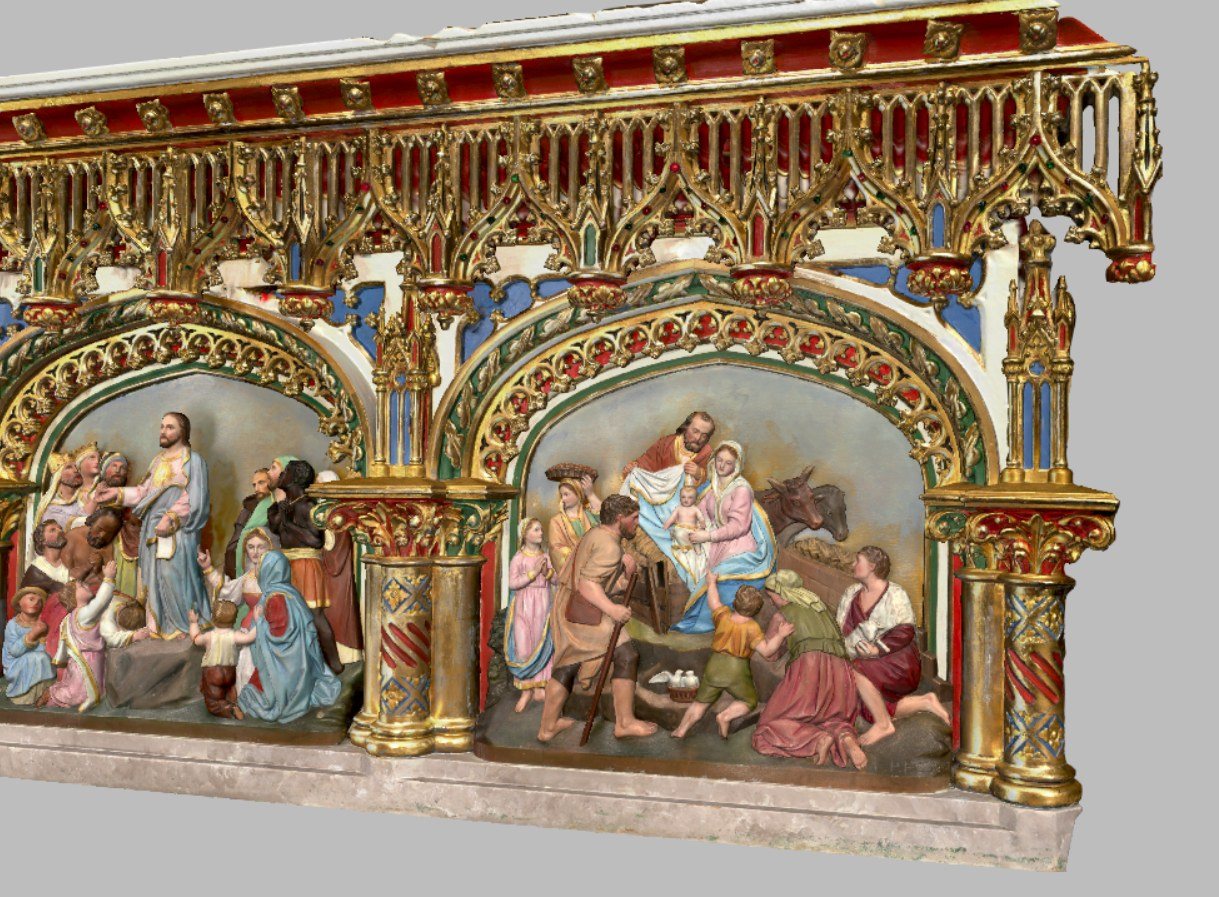
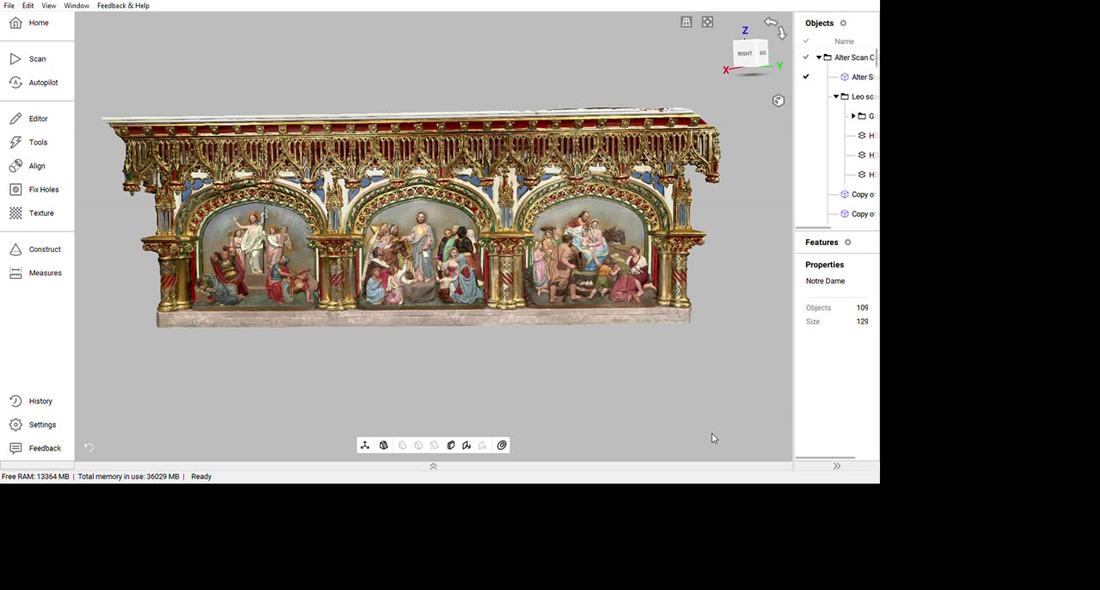
Full colour scan of the Notre-Dame altar reredos, gilding and painted figures intact
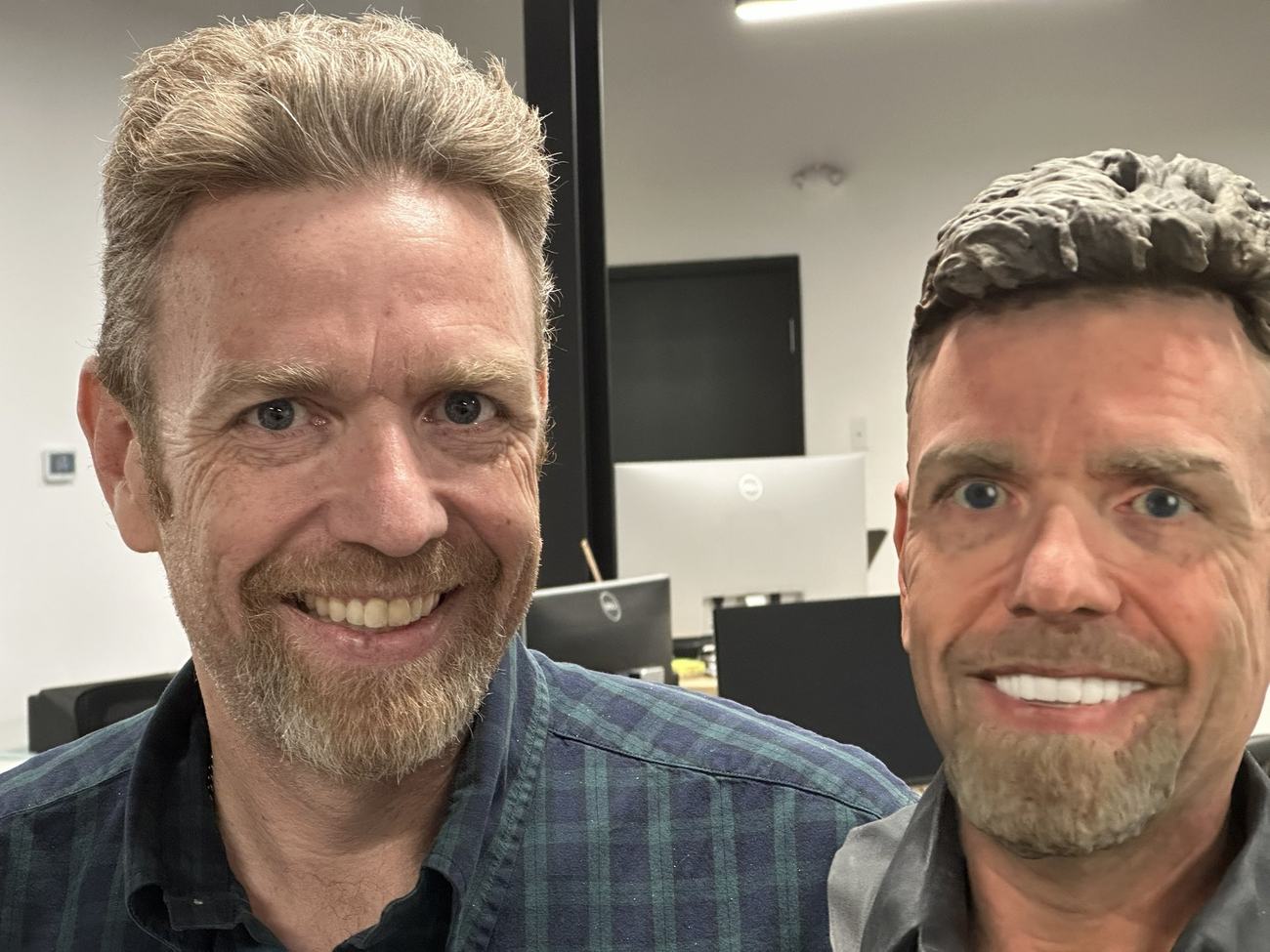
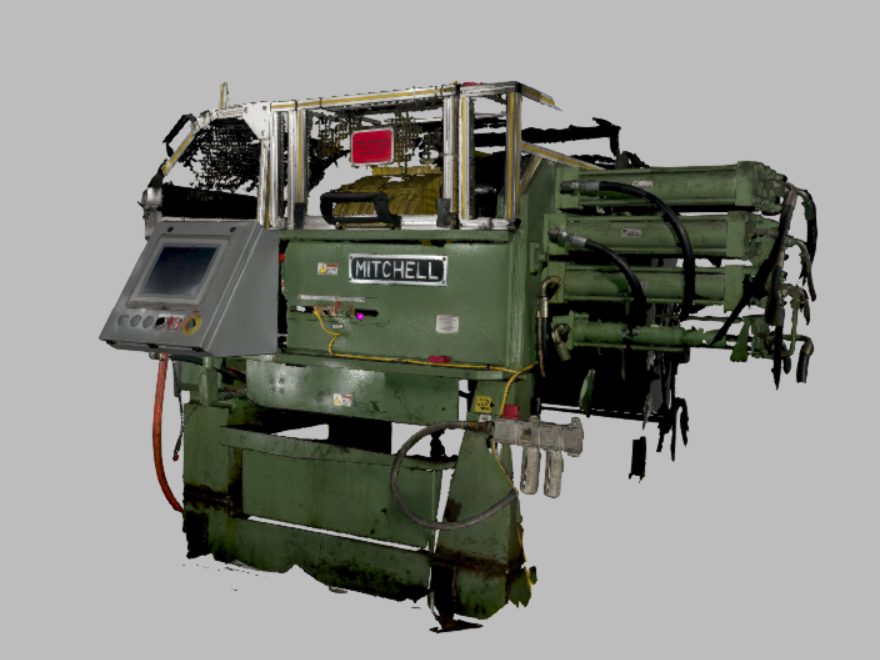
Full colour 3D print of a scanned head, held beside the subject An industrial machine captured as a full colour mesh, paint, decals and wear intact

03

Artec Studio Software

Use this best-in-class software to pull scans together into polygonal models, manipulate the meshes, then extract CAD features and translate surfaces to .STP format. Create cross sections, measurements and compare to CAD drawings. Artec Studio makes processing scans easy. This is an outstanding tool.

The Notre-Dame altar scan open in Artec Studio

04

It is not the answer to everything

Leo is suitable for parts from the size of a bread box up to a large vehicle.

For smaller objects, we recommend the Spider II, Neo or Point II. For larger objects like buildings or landscapes, you want Ray II or the amazing Artec Jet. The right equipment for the right application matters. We are here to help you choose.

What it’s for

Who this suits

Written for the user, not the spec sheet.

Art & fabrication

Capture, Enlargement, Reproduction, Restoration

Capture a maquette or an original, output a watertight full colour mesh, hand it to a foundry, mill, 3D printer or online gallery. STL or .OBJ files ready to go.

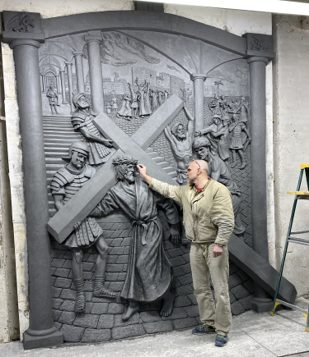
Tim Schmalz sculpting a relief panel
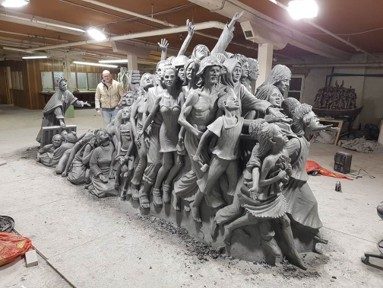
A large multi-figure sculpture with a person alongside for scale

Industrial & automotive

Large parts, awkward locations

Mining machines, tooling, frames, plant equipment — anywhere the part is bigger than the bench and can’t be carried to one. Mobile high accuracy scanning in any conditions.

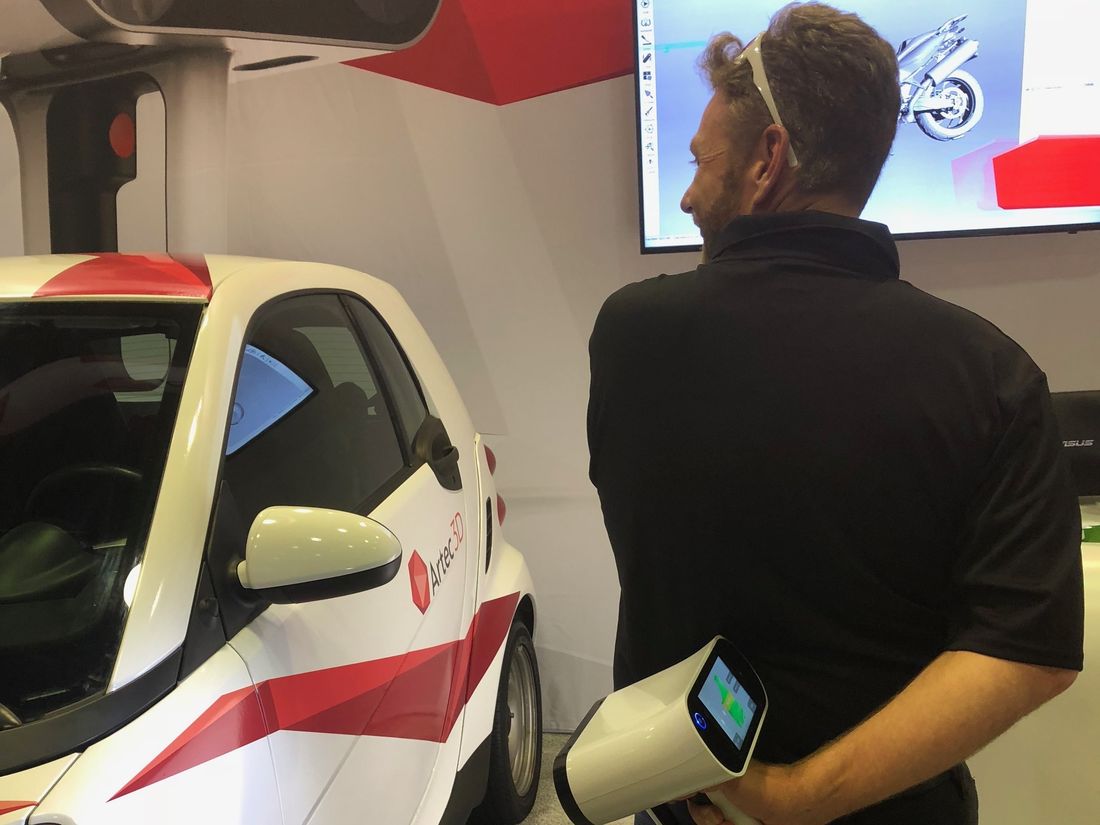
Scanning a car with an Artec Leo held one-handed, the mesh building on the screen behind
So easy to use!
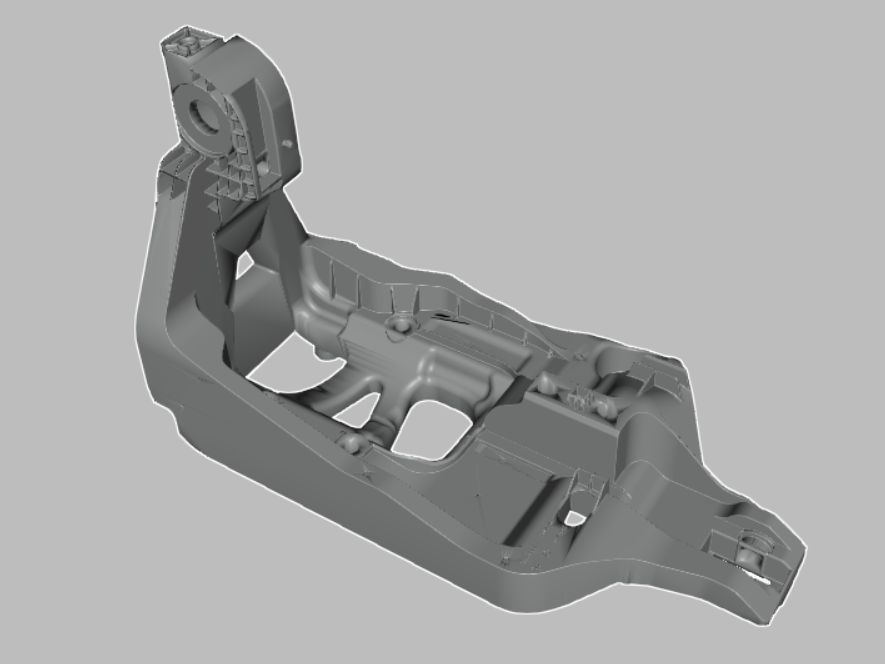
A moulded structural bracket as a clean mesh
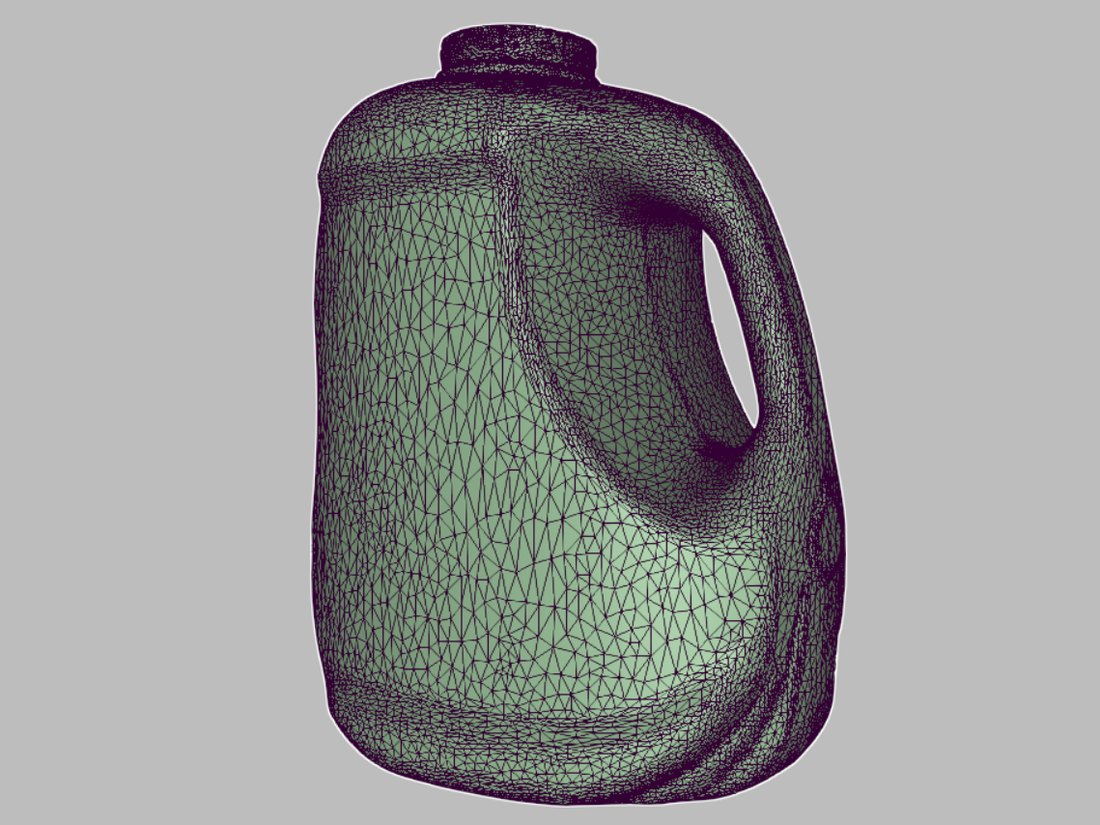
A blow-moulded container captured as a dense triangle mesh

Heritage, Archeology & Museums

Non invasive, no touch capture

Artifacts, sculpture, architectural fragments, fossils, etc. No touch, target-free scanning in full colour. Portable, durable equipment suitable for use in the field or in the Museum.

Scanning the altar at Notre-Dame Cathedral Basilica, Ottawa
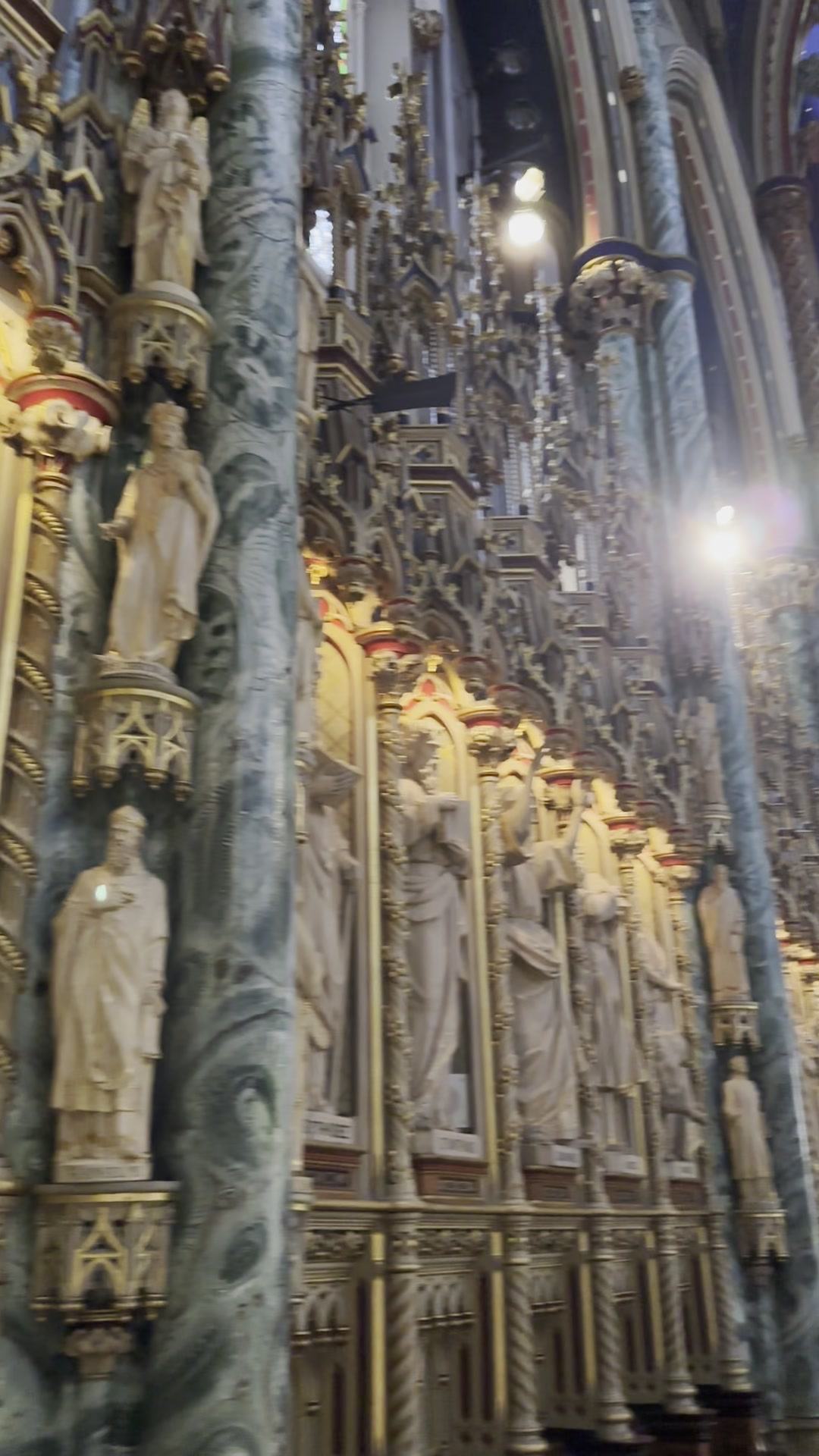
Carved statuary along the nave at Notre-Dame Cathedral Basilica, Ottawa
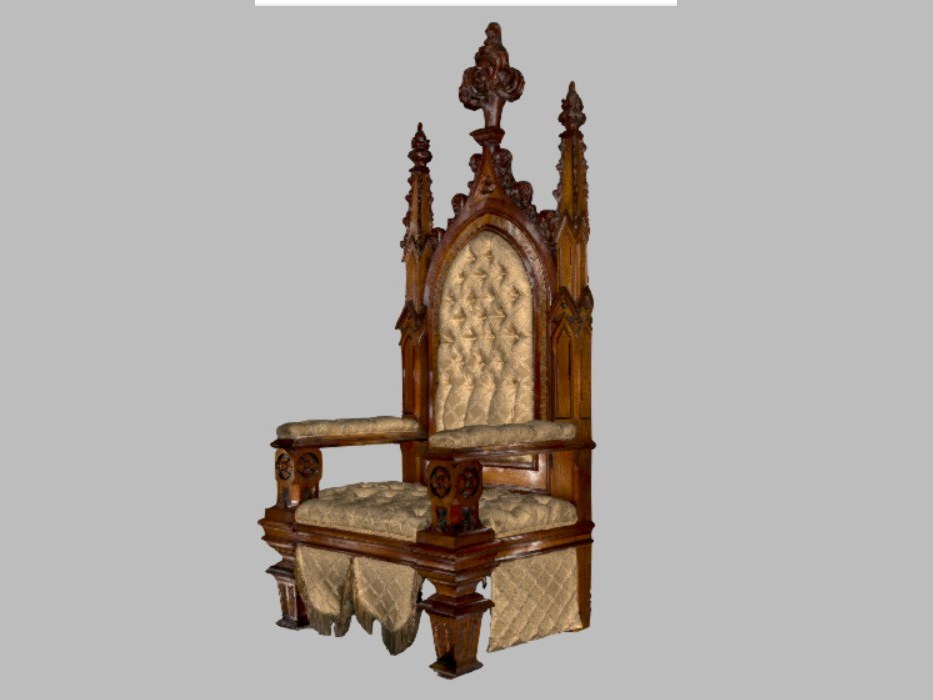
The carved gothic throne as a finished full colour scan

Visual and Special Effects

Scan on set or acquire digital assets in minutes

On-set actor scanning, makeup documentation, landscape features, prop development, marketing assets — Leo makes capturing the geometry and high quality texture quick and easy.

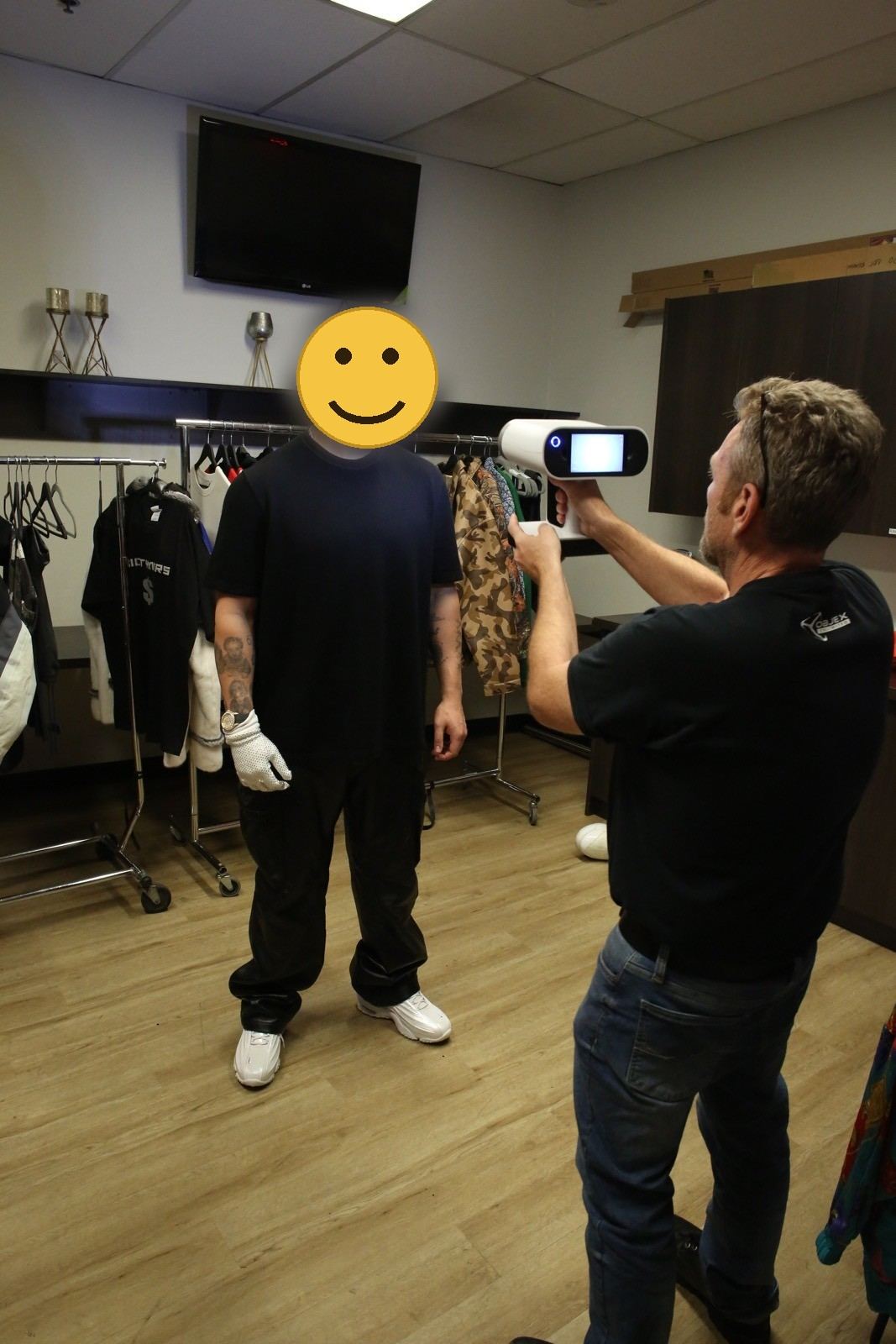
Capturing an actor on set with an Artec Leo, subject's face obscured

Anywhere you need to capture Geometry and/or Texture in high detail

Get measurements and information from hard-to-access places

Other application include medical (prosthetics), construction/custom building, QC and inspection, custom crates design, damage assessments, forensics, wear analysis, capture for AR, human scanning, etc, etc, etc.

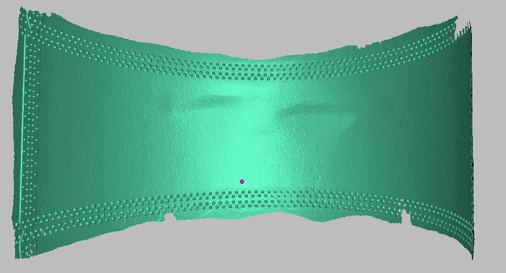
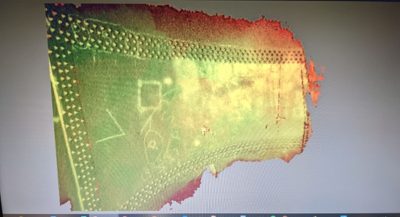
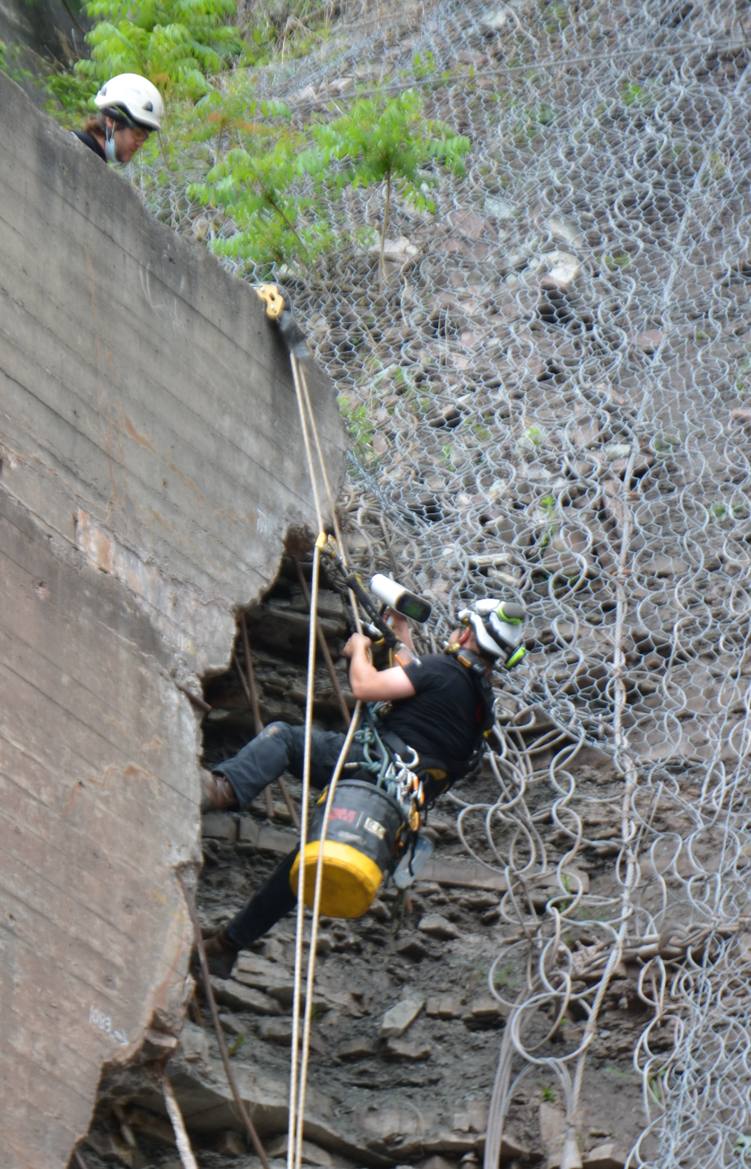
Inside a penstock at a power plant and on a netted rock face above a retaining wall, the job was the same one: get accurate measurement out of somewhere you cannot set up a tripod, stand a scanner on a bench, or run a cable to. Both were captured on rope access, on battery, with the operator hanging in a harness.

01Rope access inside a penstock, Leo in hand
02The penstock plate as a clean mesh
03Colour deviation map of the penstock plate
Rope access scanning on a netted rock face

Published specifications

The numbers

Manufacturer figures, reproduced as published. Real-world results depend on surface, lighting and geometry.

3D point accuracy
up to 0.1 mm
3D resolution
up to 0.2 mm
Accuracy over distance
up to 0.1 mm+ 0.3 mm/m
Volume capture zone
160,000 cm³
Working distance
0.35 – 1.2 m
Reconstruction rate
up to 22 fpsreal time
Streaming rate
up to 80 fps
Data acquisition
up to 35 M points/s
Texture resolution
2.3 mp
Display
5.5″HD touchscreen
Processor
Jetson TX2NVIDIA
Power
Batterybuilt-in, exchangeable
Connectivity
Wi-FiEthernet
Weight
2.6 kg5.7 lb
Dimensions
231 × 162 × 230mm

Specifications as published by the manufacturer for the Artec Leo 3D scanner. ScanScanScan3D is a Gold Certified Artec 3D Partner and an authorized Canadian reseller. Download the Artec Leo leaflet (PDF).

Specifications never give the full picture of what a scanner can and cannot do. Seeing the results with YOUR project under your conditions is what counts. Talk to experts like us.

Buying in Canada, from Canadians

Local support

Here’s what’s different about buying from ScanScanScan3D.

No border surprises, CAD Pricing

Duty, brokerage and delivery are included in the number you’re quoted, in Canadian dollars (or USD if you prefer).

Advice from use, not a datasheet

We run these units on paying work every week. Ask what breaks, what’s slow, and what we’d buy instead. We’ll share information openly and honestly.

Training and support after the sale

Training is provided when we sell a scanner. Most important though is ongoing, long term support. The first call for troubleshooting or problem solving is your reseller.

WE ANSWER THE PHONE.

Get a Canadian price (or USD) on the Leo

Tell us about your application and we will tell you if this is the right choice — including honest answers if it’s not.

1-289-300-SCAN (7226)  ·  sales@scanscanscan3d.com